
Why size matters
A sticker that is too small gets lost on a large surface, and one that is too big overwhelms the car and can be hard to apply straight. Choosing the size takes a moment and saves disappointment. Below are simple rules that work for most car stickers.
Approximate sizes and places
These are general guidelines, not strict rules. Treat them as a starting point and check your chosen size with a template (see below).
- small (about 5–10 cm): corner of a window, a side window, the fuel flap, a corner of the windscreen,
- medium (about 10–20 cm): rear window, boot lid, bumper,
- large (30 cm and more): the side of the car, bonnet, roof, a whole window.
A “new driver” sticker 11 cm across is an example of a medium size: it is easy to see on a rear window or bumper.
How to check the size before you buy
- Measure the spot with a tape measure: the height and width of the free, flat surface.
- Cut a template out of paper or card at 1:1, that is at the real size of the sticker.
- Tape the template to the car with masking tape in the chosen spot.
- Step back 3–5 metres and judge whether the design is clear and looks good.
- Leave at least 1–2 cm of margin from the edge of the panel, seals and embossing, and then order the right size.
What to look out for
- the surface should be flat and smooth, without deep embossing,
- avoid seals, edges and panel joints,
- on a window, remember the heating elements and the wiper so they do not interfere with the sticker or your view,
- check in the offer description whether the given size covers the whole design or a single piece from a set.
Most common mistakes
- choosing the size by eye, without a template,
- the sticker blocks the driver’s view,
- a sticker that is too small for a large surface,
- applying too close to an edge, where the adhesive lets go sooner.
Choose a design
We give the sizes in each offer on Allegro. Choose a design from one of the series below.
See our series
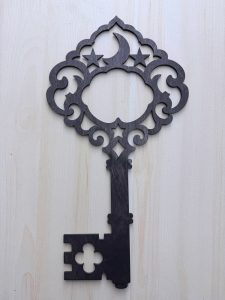
St Andrew's Eve – wooden key for wax fortune-tellingA magic key for wax fortune-telling on Andrzejki (St Andrew's Eve): wooden, 28 cm XXL, in black and pine. Learn how to pour wax and how to run an evening of fortunes safely.

“New driver” stickers – maple leaf for your carMaple leaf stickers for new drivers: green, black and white, up to 11 cm across, for the outside of the car. See the designs and learn how to apply them.
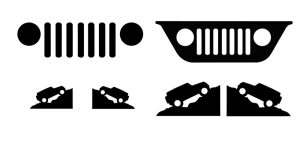
Off-road and adventure stickers – Jeep, mountains, compass, motocrossStickers for lovers of the outdoors and expeditions: a set for Jeep fans, mountains, a compass rose and motocross. Designs for off-roaders, pick-ups, vans and motorbikes.

Firefighter stickers for your car – volunteer and state fire services, lifelineCar stickers for firefighters: a firefighter with an axe, a firefighter with a hose and a lifeline with a heartbeat line. See the designs and learn how to apply them.

Fishing stickers for your car – for anglersCar stickers for anglers: an angler reeling in a fish and a jumping fish with a lake in the background, matte black. See the designs and get ideas for your car.
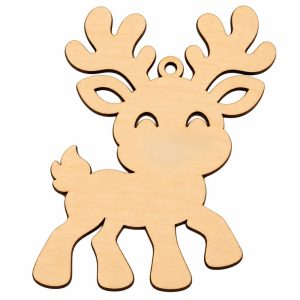
Christmas plywood ornaments for painting – reindeer, snowman, gingerbreadPlywood Christmas ornaments for painting and decoupage: a reindeer, a snowman and a gingerbread, single or in packs of 10. Decorating ideas and tree decorations.

Funny cat sets – black cat stickersSets of black stickers with funny cats for walls, furniture, doors and cars. Three cats in three poses – cat personality for every home.
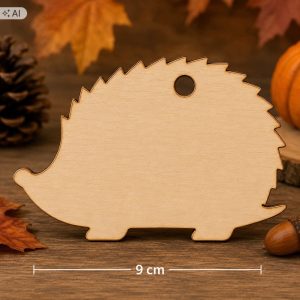
Decorating ornaments – wooden blanks for decoupageBirch plywood ornaments for painting and decoupage: leaf, squirrel, owl, pumpkin, mushroom, hedgehog and apple. Single pieces and sets of 10 and 50.

Dog stickers for cars – for dog loversCar and window stickers for dog lovers: “Be kind to animals”, dog in the car, heartbeat line with paw prints, pug. Plotter-cut, black or white.

Stickers for enthusiasts – running, motorbikes, yoga, mountainsCar stickers for runners, bikers, yoga and mountain lovers: runner, motocross, yoga, compass and mountains. Show your passion on your car.
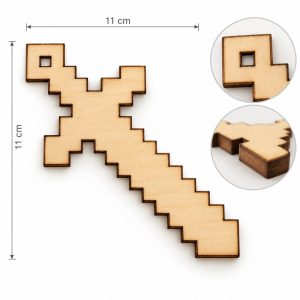
Wooden Minecraft-style ornaments – pixel art for decoupageWooden pixel-art designs for painting and decoupage: sword, heart and pickaxe from plywood. Ideal for young gaming fans.
More guides

How to apply a sticker to a car – preparation, technique and weatherHow to prepare the paint, what weather is best for applying a car sticker, how to put it on and peel off the transfer film. A step-by-step guide with graphics.
How to remove a sticker from a car without leaving marksHow to safely remove a sticker from paint or glass: warming with a hairdryer, gentle lifting, removing adhesive and protecting the paint.
How to do decoupage on plywood – a guide for beginnersDecoupage on plywood step by step: how to prepare the wood, paint the background, glue on a napkin, varnish and hang the finished ornament.
Andrzejki fortunes: what wax shapes meanWhat do the shapes of wax poured on Andrzejki (St Andrew's Eve) mean? The 60 most popular meanings: heart, ring, key, house, star, bird, cat and many more.